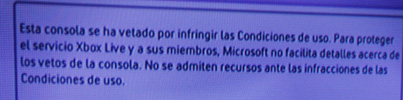
Circus escribió:-PROBLEMA: Microsoft impide que saquemos logros offline en consolas baneadas. todo lo que hagamos en la baneada no subirá a nuestro marcador porque lo marca la consola como perfil corrupto.
SOLUCIÓN: Descargar del live nuestro perfil en una consola no baneada, no saldran los logros obtenidos en ella (a partir del baneo) pero recuperaremos el perfil, eso si, si lo volvemos a poner en la baneada (poniendo el hdd, memory, de la consola sin banear en la baneada) se volverá a corromper.
NOTA: parece ser que si jugamos a juegos piratas en una consola baneada y salvamos partidas de esos juegos se corrompen LOS SAVES tambien. por lo tanto si sufris baneos NO JUGEIS SI QUEREIS CONSERVAR LAS PARTIDAS, sobre todo si os pensais comprar otra para seguir vuestros juegos y logros.-PROBLEMA: No puedo INSTALAR juegos en el hdd en mi consola baneada, TAMPOCO puedo jugar a los que tenia instalados antes del baneo ( ¡¡OJO!!! los HDD,no se joden, NO SE JODEN, solo impiden que instalemos los juegos en la consola baneada.
SOLUCION: Como he dicho, microsoft impide que instalemos juegos en las consolas baneadas tambien impide que jugemos a juegos que teniamos instalados antes del baneo, solución no tiene. el hdd lo puedes poner en otra consola y jugar perfectamente, eso si tendras que borrar los juegos y volverlos a instalar.
ATENCIÓN Si estás baneado de antes (de anteriores oleadas, como la del año pasado) y actualizas OFFLINE tu consola con la actualización de octubre de 2009 mediante usb o updates de juegos, el BANEO se actualiza impidiendo que instales juegos y corrompiendo perfiles.
-PROBLEMA: ¿el baneo es definitivo?, pues si y logicamente impide el acceso de tu consola al xbox live con lo que eso significa.
SOLUCION: jodida, mediante hackeos o conseguir que microsoft te desbanee (cosa practicamente imposible)
-PROBLEMA: ¿puedo instalar juegos en una no baneada y jugarlo en la baneada? NO, ademas solo conseguiras corromper el perfil. tampoco puedes instalar juegos en una consola NO baneada y jugarlo en otra NO baneada. solo en la que lo instalaste.
SOLUCION: ninguna, eso no se podia hacer antes del baneo tampoco.
-PROBLEMA: ¿Se pueden pasar las licencias arcade de consola baneada a otra sin banear?
SOLUCION: SI, AQUI:
http://www.xbox.com/es-ES/support/drm/ OJO!! siempre que el baneo sea de la consola, no de tu cuenta de xboxlive
PROBLEMA: ¿Es posible saber si estoy baneado por medio de xbox.com?
SOLUCION: NO, hay baneados que en la página de microsoft le sale la consola con garantía.
PROBLEMA: NO puedo hacer streaming de mis pelis que tengo en el pc.
SOLUCIÓN: logicamente al no poder conectar la consola al router no está en linea con el pc y no puedes hacer streaming


![[+risas]](/images/smilies/nuevos/risa_ani3.gif "más risas")
 , he jugado al forza 3, al tekken que se cree q estaba corrupto al pes, todos antes de q salieran oficialmente jejeje
![[sonrisa]](/images/smilies/nuevos/risa_ani1.gif "sonrisa")
![[oki]](/images/smilies/net_thumbsup.gif "Ok!")