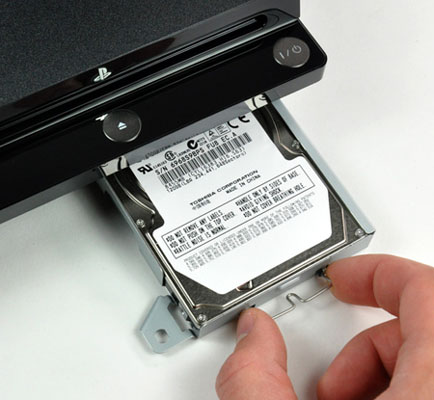
Following up on the initial PS3 Slim 3.70 Downgrade and PS3 3.7x Downgrade for Slims and Fats with NOR Flash news, this weekend Italian PlayStation 3 hackers DiGiTaLAnGeL (linked above) have made available a guide to fast swap PS3 Slim CFW 3.55 to OFW 3.70 with 2 HDDs and ProgSkeet.
To quote, roughly translated: Today I'll write a tutorial to “fast-swap” between CFW 3.55 and OFW 3.70, using 2 HDDs... at the end of the tutorial, you'll be able to swap between the firmware just flashing a dump on your PS3 using Progskeet. (instead of downgrading and losing all data).
The first steps are not so easy, so take your time and go on, by the way, you must have some skill with Progskeet, and it must be 100% working on your console.
What we need:We need 2 HDD because the NOR flashes stores some parts of the current FW on the HDD...so we will need 2 HDDs, one is for 3.55, and one is for 3.70.. We will call those HDD “A” (for 3.70) and “B” (for 3.55) don't mix them up!
- PS3 Slim running with FW 3.70
- 2 Hard Disks
- Progskeet installed and working on your PS3 Slim
- Downgrade.bin (edited with your personal data): http://www.multiupload.com/EZRZ2QR98W
- 3.55 Downgrade Dongle to do the downgrade process.
- Sony OFW 3.70 UPDATE: http://www.ps3news.com/forums/downloads.php?do=file&id=5224
- CFW 3.55 KMEAW “NO CHECK” by dospiedra: http://www.multiupload.com/4S6NGO13H4
- Lv2Diag By JaicraB: http://www.multiupload.com/9CP2RDYOUQ
- Lv2Diag “FILE 2″ to go out of Service/Factory Mode: http://www.mediafire.com/?b07qrb96iz99ibb
Starting with a PS3 Slim with OFW 3.70.
1. Plug in HDD “B”, format and prepare it if it’s required by the PS3 and you should have your 3.70 up and running.
2. DUMP your actual NOR and call it “original dump 3.70.bin”
3. Now flash your “downgrade.bin” (edited with the personal data found in “original dump 3.70.bin”)
4. Turn on your PS3 and be sure that the PS3 is asking you to press the PS button (downgrade.bin flashed correctly)
5. Insert a 3.55 Downgrade dongle and enter factory/service mode.
6. Copy Lv2Diag.self by Jaicrab and the 3.55 NO CHECK UPDATE renamed as “PS3UPDAT.PUP” in the root of your USB Stick.
7. Plug in the USB Stick in the most-right USB port of your PS3 and wait for it to turn OFF.
8. Leave the factory mode using the other Lv2Diag.self
9. After the reboot, you need to configure and set up your system... now you have a fully working 3.55 CFW based on KMEAW “NO CHECK”.
10. DUMP your actual NOR and call it “swap dump 3.55.bin”
11. Unplug HDD B and Plug in HDD A.
12. Turn on your PS3, plug in your USB Stick containing official 3.70 update and press start+select when asked.
13. When the PS3 reboots, check that the system is fully working and DUMP your actual NOR and call it “swap dump 3.70.bin”.
NOW IT’S OVER! You should have “swap dump 3.55.bin” and “swap dump 3.70.bin” ... Now you just have to swap HDD and flash the corresponding dump:WARNING: Do not install other CFW than the “NO CHECK” one... because it’s used to make the “fast-swap” working... if you flash something different you will not be able to go between the 2 FWs. This CFW disable the Syscon checking at the startup... so it will not freeze or complain when the syscon says “3.70″ and your FW is 3.55
- HDD A = swap dump 3.70.bin
- HDD B = swap dump 3.55.bin
In case you wanna update your console with a future “3.80” or-so firmware. Do not update your console when you are running 3.55 firmware! You have to go to “swap dump 3.70.bin” and then update as usual (XMB or recovery)... By the way, the downgrade is confirmed working only on 3.70... we haven’t tested it on other FWs, you could lose the possibility to go back to 3.55!
More PlayStation 3 News...

Joseph David escribió:Esto quiere decir que ya tenemos CFW + OFW???????????
nickieto escribió:Pero segun leo esto es para slim, para Fat no, puesto que el firmware se guarda completamente en la flash
![[carcajad]](/images/smilies/nuevos/risa_ani2.gif "carcajada")
dospiedras1973 escribió:jejeje , este se lo curró antes el tuto xD , pero vamos ya dije en el hilo del downgrade que esto se podía hacer , LO QUE , como dice en el video ay que esperar a que lance yo el downgrade v2 , por que si nó os dará problemas por eso no he hecho el tuto aun , ya sabeis dospiedras=cauto.
y no lo insulteis a digitalangel ni nada , que forma grupo de un team que estoy cociendo , dentro de poco van a aver novedades jugosas
JaNCeR escribió:Solo tengo una dudilla, es necesario el progskeet o se puede hacer también con un teensy++?
Saludos!
xboxadicto escribió:pero para este metodo es necesario chip???
ericmval escribió:con este método se podría instalar un juego como si fuese uno de psn en 3.55 y luego poder lanzarlo desde 3.70??
protoo escribió:ericmval escribió:con este método se podría instalar un juego como si fuese uno de psn en 3.55 y luego poder lanzarlo desde 3.70??
no lo creo ya que tienes que cambiar el hdd para cambiar entre ofw y cfw ...andare algo perdido pero creo solo serviria (por el momento) para que puedas jugar tus juegos originales online sin perder el jugar back ups , que tendras almacenados en otro hdd con cfw
LUCKYMAS escribió:protoo escribió:ericmval escribió:con este método se podría instalar un juego como si fuese uno de psn en 3.55 y luego poder lanzarlo desde 3.70??
no lo creo ya que tienes que cambiar el hdd para cambiar entre ofw y cfw ...andare algo perdido pero creo solo serviria (por el momento) para que puedas jugar tus juegos originales online sin perder el jugar back ups , que tendras almacenados en otro hdd con cfw
no vas mal encaminado , es como si fuese el dongle fijo soldado , para downgradear sin perder nada de lo que tenias en cada hdd
redshock
Pues yo me temo,que del Online con el OFW,nada de nada,en cuanto entraras al Network,sony no es tonta,y verá modificaciones en el hard de la consola,y zasss !!
paxama escribió:pero es "relativamente" rapido el saltar entre cfw y ofw?
Koolk escribió:¿Sony no había dicho que estaban trabajando pra bloquear el hack tanto en hardware como en Firmware?
Perfect Ardamax escribió:redshock
lo unico que habria que hacer para evitarlo seria que cada vez que se vaya a poner el CFW 3.55 desconectar la red como hacemos ahora.
Este metodo es igual en el caso de la DUAL NAND.

OuKKaN escribió:Aqui le hice una traduccion rapida (no Google), puede tener errores asi que si alguien la quiere corregir bienvenido sea.
Los pasos iniciales no son sencillos, asi que tomate tu tiempo, en todo caso debes manejarte con Progskeet, y debe estar 100% funcional en tu consola.
Lo que necesitamos:
-Una PS3 corriendo FW 3.70.
-2 Discos Duros
-Progskeet instalado y funcionando en tu PS3
-Downgrade.bin (editado con tu informacion personal): http://www.multiupload.com/EZRZ2QR98W
-3.55 Downgrade Dongle para el proceso de downgrade.
-Sony OFW 3.70 UPDATE: http://www.ps3news.com/forums/downloads ... le&id=5224
-CFW 3.55 KMEAW "NO CHECK" por dospiedra: http://www.multiupload.com/4S6NGO13H4
-Lv2Diag por JaicraB: http://www.multiupload.com/9CP2RDYOUQ
-Lv2Diag “FILE 2″ para salir de Modo de Servicio o Modo de Fabrica: http://www.mediafire.com/?b07qrb96iz99ibb
Necesitaremos 2 Discos Duros porque el NOR flashes almacena algunas partes del FW actual dentro del disco duro... asi que necesitaremos 2 discos duros, uno para 3.55 y otro para 3.70. Los llamaremos "Disco A" (para 3.70) y "Disco B" (para 3.55), que no se te confundan.
Empezamos con una PS3 Slim en OFW 3.70
1.-Conecta el Disco B, formatealo y preparalo si asi lo requiere la PS3 asi deberias tener 3.70 funcionando correctamente.
2.-Vuelca tu NOR actual y nombralo “original dump 3.70.bin”
3.-Ahora flashea tu "downgrade.bin" (Editado con tu informacion personal en “original dump 3.70.bin”)
4.-Apaga tu PS3 y asegurate que la consola te pida presionar el boton PS (downgrade.bin se ha flasheado correctamente)
5.-Inserta un 3.55 Downgrade Dongle e ingresa en Modo de Servicio o Modo de Fabrica.
6.-Copia Lv2Diag.self por Jaicrab y el 3.55 NO CHECK UPDATE renombrado como “PS3UPDAT.PUP” en la raiz de tu USB Stick.
7.-Conecta el USB Stick en el puerto USB del extremo derechode tu PS3 y espera a que se apague.
8.-Abandona el Modo de Fabrica usando el otro Lv2Diag.self
9.-Despues de reiniciar, necesitaras ingresar los datos de configuracion de tu consola... ahora dispones de un CFW 3.55 completamente funcional basado en KMEAW "NO CHECK".
10.- Vuelca tu NOR actual y nombrala “swap dump 3.55.bin”
11.-Desconecta el Disco B y conecta el Disco A.
12.- Apaga tu PS3, conecta tu USB Stickque contiene la actualizacion oficial 3.70 y presiona start+select cuando te lo pida.
13.-Cuando la consola se reinicie, verifica que el sistema este funcionando correctamente, y vuelca tu NOR actual y nombrala “swap dump 3.70.bin”.
Hemos terminado: Debes tener “swap dump 3.55.bin” y “swap dump 3.70.bin”... Ahora tan solo tienes que cambiar el Disco Duro y flashear la volcada correspondiente.
*Disco A = swap dump 3.70.bin
*Disco B = swap dump 3.55.bin
ADVERTENCIA: No instales otro CFW que no sea el "NO CHECK"... porque se usa para que el "cambio rapido" funcione... si flasheas algo diferente no podras optar entre los 2 FW. Este CFW desabilita el Syscon checking al comienzo.. asi que no se pegara o se quejara cuando el syscom diga “3.70″ y tu FW es 3.55.
En caso de que quieras actualizar tu consola usando un futuro FW 3.80 o Fw similares. No actualices tu consola cuando estes corriendo FW 3.55. Debes ir a “swap dump 3.70.bin” y luego actualizar como se hace usualmente ya sea por XMB o por recovery... En todo caso, el downgrada funciona de manera confirmada en 3.70... no lo hemos probado en otros FWs, asi que podrias perder la posibilidad de volver a 3.55.
Saludos
pedropla escribió:Solo tengo un par de dudas:
1.-¿Esto se puede realizar todo por software?
2.-¿Sirve para una FAT40gb?
Porque si es asi, lo estudiaré.
EDITO: Para usar el progskeet se requiere soldadura.
![[+furioso]](/images/smilies/nuevos/furioso.gif "muy furioso")
suzuki_murciano escribió:Que pena que tenga fat 60 gb.
¿De todas formas hay que abrir la consola sea slim o fat no?
r04drunner escribió:suzuki_murciano escribió:Que pena que tenga fat 60 gb.
¿De todas formas hay que abrir la consola sea slim o fat no?
¿Pena? ¿Por? Mejor para ti que puedes utilizar un sólo HDD y no necesitas tener estar cambiándolo según el FW que quieras usar.
Si, en ambos casos hay que abrir y soldar.
Un saludo
Koolk escribió:Cuando la compraste no te daba tanto pena la principio. ¿No?

BlackStarHT escribió:hola a todos, alguien seria tan amable de decirme si este tutorial es estable? porque tengo que hacer el downgrade y si eso funciona bien pues lo mas seguro que lo haga
Koolk escribió:Hola:
El comentario viene que todos nos emocionamos con lo nuevo aunque nos cuesten 600 € la primera máquina. (Ni loco lo doy en mi caso).
Luego con el tiempo, sobre todo si hay rebajas, nos arrepentimos. También ya queremos hacer cosas con ellas como en tu caso y no se puede porque la han cambiado.
Supuestamente Sony iba a cambiar algo del SoftWare y el HardWare, cosa que han hecho, decía que se podía resolver el problema del hack y mira ahora, la 3.70 y el OR no valen para nada y sigue con el Hack a todo el mundo.
Un saludo.
![[sonrisa]](/images/smilies/nuevos/risa_ani1.gif "sonrisa")
dospiedras1973 escribió:jejeje , este se lo curró antes el tuto xD , pero vamos ya dije en el hilo del downgrade que esto se podía hacer , LO QUE , como dice en el video ay que esperar a que lance yo el downgrade v2 , por que si nó os dará problemas por eso no he hecho el tuto aun , ya sabeis dospiedras=cauto.
y no lo insulteis a digitalangel ni nada , que forma grupo de un team que estoy cociendo , dentro de poco van a aver novedades jugosas
 empezar a jugar al call of duty cuando todo el mundo se sabe los mapas...volvamos a reconocer que pierde la gracia jejjeje
ernesther escribió:El mensaje de dospiedras es de hace un mes...Y yo voy a dar solo mi opinion al respecto. En su momento,cuando los juegos pedían 3.55 algunos y otros la 3.6x.....esto hubiera sido un bombazo...porque a los de 3.55 aun se podían jugar al igual que los originales....Pero ahora mismo....el indice de juegos es del 99% en 3.6x o 3.7x por lo que, si, es interesante mantener el CFW por la scene que "podría" haber....pero me niego (MI opinion) a limitar una consola como la ps3 y dedicarla a jugar con emuladores (para eso restauré una recreativa) o ver peliculas....
Que es un lujo ver lo que esta gente está haciendo... pero no acabo de verle la utilidad al completo.
Porque ahora no toco mucho la consola y tengo cosas prioritarias,pero de no ser asi, os aseguro que actualizaría NO SOLO por el tema del online...sino porque hay juegazos en que la gracia de jugarlos, son desde que salen a la venta. Jugar al fifa o al pro....en marzo del 2012...reconozcamolo...pierde la gracia
Que soy el primero que ha ido probando los juegos que van saliendo....y la verdad que durante un año,esto ha sido increible...haciendo nuestro propio dongle como el psgroopic, metiendo CFW, editando param.sfo, cambiando como locos los eboot.... ha sido una gran experiencia.. Pero ahora os toca a cada uno poner en una balanza vuestras ganas de jugar y vuestras ganas de esperar.
Sea lo que sea, que cada uno quede satisfecho con su decisión.
Un saludo.